Technology has become a critical part of modern business operations. From small retail stores to large enterprises, companies are using software solutions to improve efficiency, manage data, reduce errors, and provide better customer experiences. Retail businesses especially need reliable technology because they handle thousands of daily transactions, inventory changes, employee activities, and customer interactions.
Modisoft is a technology platform designed to help businesses manage retail operations through integrated software solutions. It focuses on areas such as point-of-sale systems, inventory management, reporting, automation, and operational control. By bringing different business processes together, Modisoft helps companies replace manual workflows with organized digital systems.
For entrepreneurs, small business owners, and retail operators in the United States, understanding platforms like Modisoft is important because business technology directly affects productivity, customer satisfaction, and long-term growth.
This guide explains what Modisoft is, how it works, its key features, benefits, limitations, implementation process, and how businesses can evaluate whether this type of retail technology solution matches their needs.
What Is Modisoft?
Modisoft is a retail technology software platform that provides digital tools for managing business operations. It is commonly associated with solutions that help convenience stores, retailers, and businesses organize sales, inventory, payments, reporting, and other daily activities.
At a basic level, Modisoft works as a business management system that connects different operational areas into one platform.
Traditional businesses often use separate systems for different tasks:
- Cash registers for transactions
- Spreadsheets for inventory tracking
- Manual reports for sales analysis
- Separate tools for employee management
This fragmented approach can create problems such as inaccurate records, wasted time, and difficulty understanding business performance.
Modisoft-type technology solves this problem by creating a centralized system where businesses can manage important activities from one place.
The Core Concept Behind Modisoft
The main idea behind Modisoft is business automation through connected technology.
Instead of manually tracking every transaction or inventory change, businesses can use software that automatically records information and creates useful insights.
For example, a convenience store using a retail management system can:
- Process customer purchases quickly
- Track available products
- Monitor sales trends
- Analyze revenue
- Manage employee access
- Improve inventory decisions
This allows business owners to spend less time handling administrative tasks and more time improving operations.
How Does Modisoft Work?
Modisoft works by connecting different parts of business operations through software technology. The exact workflow depends on the business setup, but most retail management systems follow a similar process.
1. Business Setup and Configuration
The first step is configuring the software according to business requirements.
Businesses typically add:
- Product information
- Pricing details
- Tax settings
- Employee accounts
- User permissions
- Payment methods
For example, a convenience store may upload thousands of products with categories, prices, and inventory details.
2. Sales Processing Through POS Technology
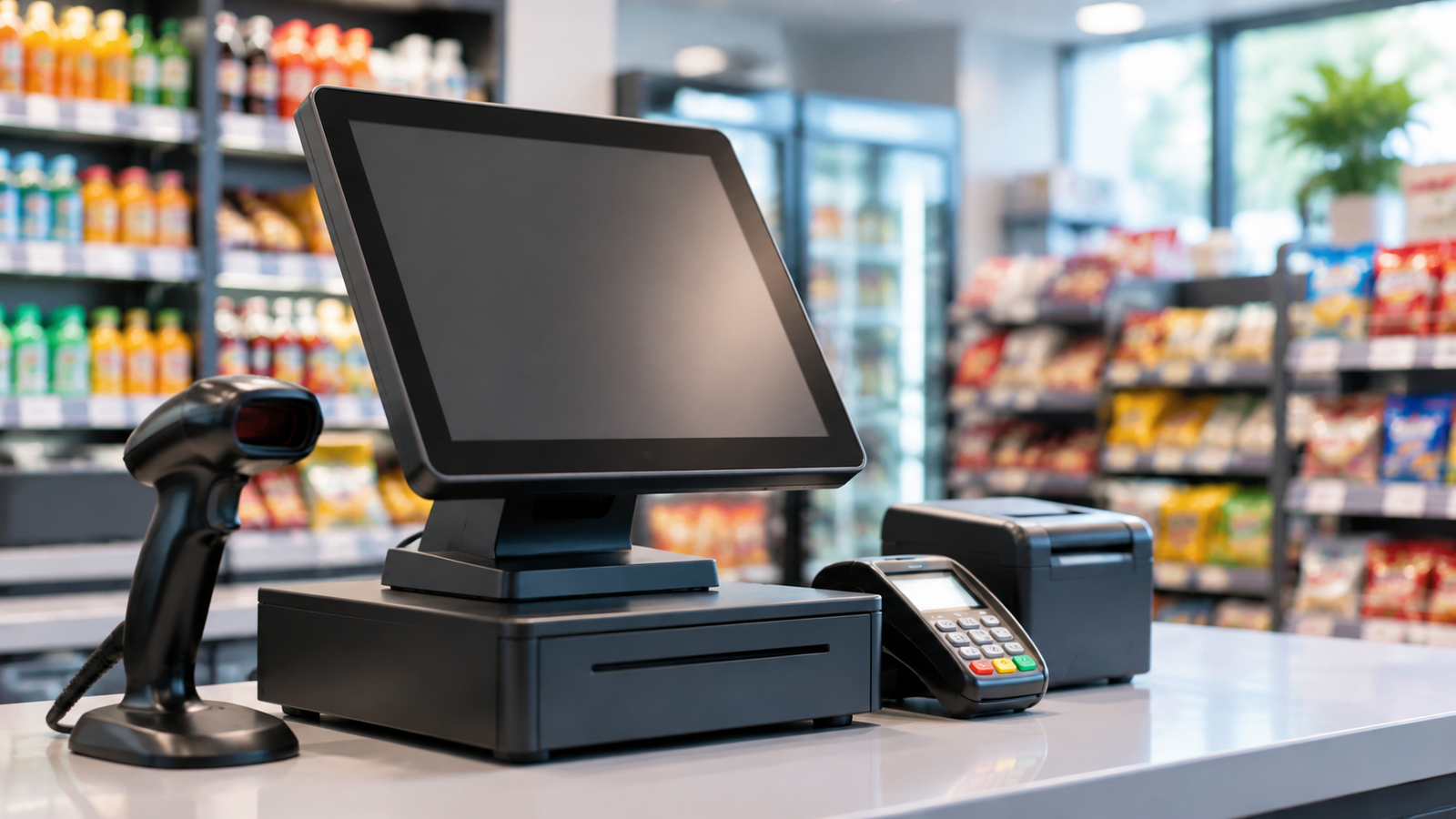
One of the main functions of retail technology is point-of-sale management.
When a customer buys a product:
- The employee scans or selects the item
- The system identifies product details
- The price is calculated
- Payment is completed
- The transaction is recorded
The system can also update inventory automatically after each purchase.
3. Inventory Tracking
Inventory management is one of the biggest challenges for retailers.
A digital inventory system helps businesses monitor:
- Available stock
- Product movement
- Popular items
- Low-stock products
- Overstock situations
For example, a store owner can identify that a specific beverage sells faster during summer and adjust purchasing decisions accordingly.
4. Data Collection and Analytics
Every transaction creates valuable business information.
Modisoft-style platforms can help businesses analyze:
- Daily sales
- Revenue patterns
- Product performance
- Customer behavior
- Employee activity
Instead of guessing what is working, owners can make decisions using actual business data.
5. Automation of Routine Tasks
Automation reduces repetitive manual work.
Examples include:
- Automatic inventory updates
- Digital receipts
- Sales reports
- Product tracking
- Business summaries
This improves efficiency and reduces human errors.
Key Characteristics of Modisoft Technology
Modisoft includes several characteristics that make modern business software valuable.
| Feature | Explanation | Business Benefit |
|---|---|---|
| POS Management | Handles customer transactions | Faster checkout process |
| Inventory Control | Tracks products and stock | Better inventory decisions |
| Reporting System | Provides business insights | Improved planning |
| Automation Tools | Reduces manual work | Saves employee time |
| Digital Records | Stores operational information | Better organization |
| Business Integration | Connects multiple processes | More efficient workflow |
Main Components of Modisoft
Point-of-Sale (POS) System
A POS system is the central technology used by many retail businesses.
Modern POS systems do more than process payments. They can help manage:
- Product information
- Sales history
- Customer purchases
- Payment records
- Inventory changes
A reliable POS system improves transaction accuracy and customer experience.
Inventory Management Software
Inventory management helps businesses maintain proper stock levels.
Important functions include:
- Product tracking
- Stock monitoring
- Inventory reports
- Restocking decisions
For retailers, inventory accuracy directly affects revenue. Products that are unavailable can lead to lost sales, while excess inventory can increase costs.
Reporting and Analytics Tools
Business analytics help owners understand what is happening inside their company.
Reports may show:
- Best-selling products
- Sales performance
- Customer trends
- Revenue changes
- Operational issues
Analytics transform simple transaction data into useful business knowledge.
Employee Management Features
Retail businesses often have multiple employees working different shifts.
Technology can help manage:
- User permissions
- Employee access
- Activity tracking
- Operational responsibilities
This improves accountability and organization.
Types of Modisoft Technology Solutions
1. Retail POS Software
Retail POS software manages customer transactions.
How it works:
The system processes purchases, records sales, and updates business information.
Example:
A small convenience store uses a POS system to sell groceries, beverages, and household items while maintaining digital sales records.
Advantages:
- Faster checkout
- Accurate transaction records
- Reduced manual calculations
Disadvantages:
- Requires employee training
- Depends on technology reliability
2. Inventory Management Technology
Inventory software helps businesses control products.
Example:
A retailer receives notifications when popular items need restocking.
Advantages:
- Reduces inventory mistakes
- Helps avoid product shortages
- Improves purchasing decisions
Disadvantages:
- Requires accurate product data
- Setup can take time
3. Business Analytics Software
Analytics solutions help companies understand performance.
Example:
A store owner analyzes monthly reports to discover which products generate the highest revenue.
Advantages:
- Better decisions
- Improved business planning
Disadvantages:
- Requires understanding of reports
- Poor data creates inaccurate insights
Examples of Modisoft Usage in Real Businesses
Convenience Stores
Convenience stores manage large numbers of products every day. Technology helps them handle:
- Fast checkout
- Inventory monitoring
- Sales reporting
- Product management
Small Retail Shops
Small businesses can use retail software to compete with larger companies by improving organization and customer service.
Examples include:
- Clothing stores
- Electronics shops
- Specialty retailers
Multi-Location Businesses
Businesses operating multiple locations need centralized management.
Technology platforms help owners compare:
- Store performance
- Sales trends
- Inventory needs
Importance of Modisoft for Businesses
Business technology is no longer optional for many industries. Software platforms like Modisoft can provide several important advantages.
Improving Business Efficiency
Automation reduces the amount of time employees spend on repetitive tasks.
Instead of manually counting inventory or creating reports, businesses can use software tools to complete these tasks faster.
Supporting Better Decisions
Business owners need accurate information to make decisions.
Technology provides insights about:
- Customer demand
- Sales performance
- Product popularity
- Operational costs
Improving Customer Experience
Customers expect:
- Faster checkout
- Accurate pricing
- Smooth payment processes
Better technology helps businesses provide a more professional experience.
Supporting Business Growth
As companies grow, manual systems become harder to manage.
Technology allows businesses to scale operations without increasing complexity.
Advantages and Disadvantages of Modisoft
| Advantages | Disadvantages |
|---|---|
| Improves operational efficiency | Requires setup and training |
| Reduces manual errors | Technology costs may apply |
| Provides business insights | Requires accurate data |
| Helps manage inventory | Employees need adaptation |
| Supports automation | System issues can affect operations |
How to Implement Modisoft Technology
Businesses should follow a structured approach when adopting retail technology.
Step 1: Identify Business Needs
Before selecting software, businesses should understand their challenges.
Questions to consider:
- What problems need solving?
- Is inventory difficult to manage?
- Are sales reports unclear?
- Are employees spending too much time on manual tasks?
Step 2: Choose Required Features
Different businesses need different solutions.
Important features may include:
- POS functionality
- Inventory management
- Reporting tools
- Employee controls
- Customer management
Step 3: Train Employees
Technology only works effectively when employees understand how to use it.
Training should cover:
- Daily operations
- Transaction processing
- Reporting
- Troubleshooting
Step 4: Monitor Performance
After implementation, businesses should review results.
Important measurements include:
- Faster checkout times
- Reduced inventory problems
- Improved reporting accuracy
- Better customer satisfaction
Common Mistakes Businesses Should Avoid
Choosing Software Without Research
Businesses should evaluate whether the technology matches their requirements.
A solution that works for one company may not work for another.
Ignoring Employee Training
Even the best software can fail if employees do not know how to use it properly.
Not Maintaining Accurate Data
Incorrect product information or outdated records can reduce system effectiveness.
Focusing Only on Cost
The cheapest solution is not always the best choice.
Businesses should consider:
- Features
- Reliability
- Scalability
- Support quality
Frequently Asked Questions About Modisoft
What is Modisoft?
Modisoft is a technology platform designed to help businesses manage retail operations through software solutions such as POS systems, inventory management, reporting, and automation tools.
How does Modisoft work?
Modisoft works by connecting different business processes into a centralized digital system. It helps manage transactions, inventory, reporting, and operational activities.
Is Modisoft a POS system?
Modisoft includes POS-related technology designed to help businesses process sales transactions and manage retail operations.
Who can use Modisoft?
Retail businesses, convenience stores, and companies that need better operational management can benefit from retail technology solutions like Modisoft.
Why is retail management software important?
Retail management software helps businesses improve efficiency, track inventory, understand sales performance, and provide better customer experiences.
Can small businesses use Modisoft?
Yes, small businesses can use retail technology solutions to organize operations, reduce manual tasks, and improve decision-making.
What are the benefits of using retail software?
Benefits include faster transactions, better inventory control, improved reporting, and more efficient business management.
Does Modisoft help with inventory management?
Retail technology platforms like Modisoft support inventory-related tasks by tracking products, monitoring stock levels, and providing business insights.
How does business automation improve operations?
Automation reduces repetitive tasks, saves time, and allows employees to focus on higher-value activities.
What should businesses consider before adopting retail software?
Businesses should evaluate features, pricing, scalability, employee training requirements, and technical support before choosing a solution.
Conclusion
Modisoft represents the growing importance of technology in modern retail and business management. As companies face increasing competition and customer expectations, digital solutions help them operate more efficiently and make smarter decisions.
By combining tools such as POS systems, inventory management, reporting, and automation, platforms like Modisoft help businesses create more organized workflows and improve daily operations.
For entrepreneurs and small business owners, investing in the right technology is not only about replacing old systems. It is about building a stronger foundation for growth, improving customer experiences, and gaining better control over business performance. Understanding how retail technology works allows businesses to choose solutions that support their long-term goals.